Wednesday, 02.04.2026, 11:40 AMWelcome Guest
Registration | Login
RSS
FUN4ALL
Site menu
Catalog categories
My articles [6]
Login form
Search
Site friends
Promovare Gratuita - Top90.Info Director Web - Linkuri - SEO
www.Top45.net Best Romanian Sites Promovare Gratuita - KissTop.Net
PageRank www.Top27.ro Promovare Gratis
www.muzicahitmp3.at.ua Test your Internet connection speed at Speedtest.net
Statistics

Total online: 1
Guests: 1
Users: 0
Our poll
De ce ati vrea sa ma ocup mai mult pe site?
Total of answers: 30
Tag Board
Main » Articles

Total entries in catalog: 6
Shown entries: 1-6


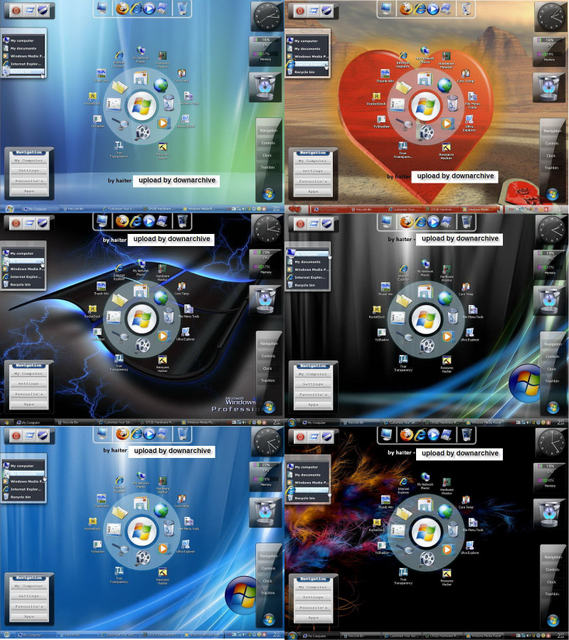
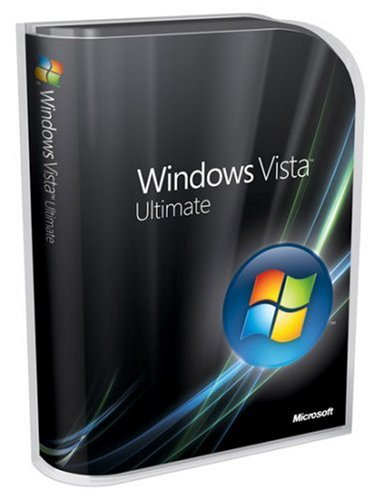
Combine, from Xp-Vista Final Edition with 25 themes [ themes] and Xp-Win7 Edition [Visual Effects] . the newest Version is complete version with 25 themes and best Visual Effects.
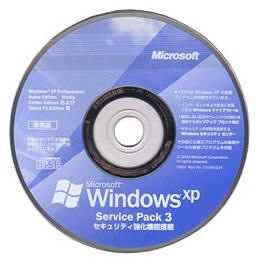
this CD is XP SP3 Pro final with Viena Style.
+ Support Laptop, Support SATA
+ Softs: Windows Media Player 11, Internet Explorer 7, System Tools.
+ Download success, right click on any part then choose Extract files.. or Extract here (do not choose Extract to ) => one standard ISO file's created (size Burn to CD, Install a fresh Windows from CD.
+ No need CD-Key (added). No need active (activated). Can Update (Key genuine).

My articles | Views: 791 | Added by: fun4all | Date: 01.06.2009 | Comments (0)

My articles | Views: 586 | Added by: fun4all | Date: 01.06.2009 | Comments (0)

My articles | Views: 588 | Added by: fun4all | Date: 01.05.2009 | Comments (0)


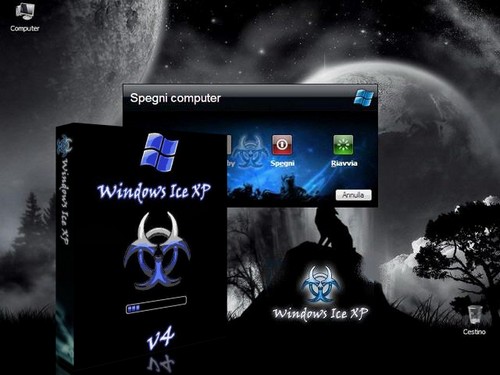
Windows Ice XP v4.1 Evolation PowerPack Multibootable DVD with Office 2007 and
Open Office 3.0 | 2.92GB

Based on OS: Windows XP Professional OEM
Service Pack: 3
Version:5.1.2600.5512
Lang: ENGLISH (US)
Ice Version: 4.2 Evolution & Basic
ISO: 2.92 Gb
Minimum space equired: 1.4 Gb
Release date: 20/11/08


My articles | Views: 753 | Added by: fun4all | Date: 01.05.2009 | Comments (0)


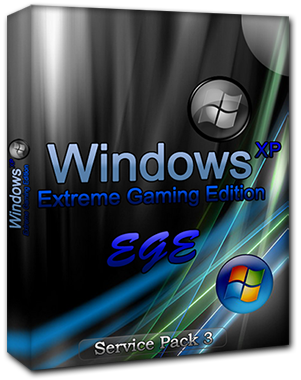
Windows XP SP3 EGE-Extreme Gaming Edition with SATA Driver | 297MB
What's Up, folks?. It's probably the best windows XP for play games... and propably you are asking, why?Let me u explain : Windows Extreme Gaming only use about 37MB of Ram Memory (30MB If u terminate explorer process before play a game), after the second start when It completes all the changes. Worshippy• Are updated to the last SP3, fixes an usefull updates. Worshippy• Already have a SATA Drivers Pack that is loaded before the windows install process, so u can forget all the problems with ur SATA HDD. Worshippy• The OS size is about 200MB, only. And 100MB of applications. There are availeables from the Booster menu.
• Is still necessary activate the Windows Installer MSI Service before install a games. Start -> Administrative Tools -> Services -> Windows Installer -> Start. (Right click, properties, automatic. If u don't want repeat all the steps again).


Booster menu includes:
• DirectX 9 - 10 Redist June 2008
• Live Messenger
• Xfire 1.79
• TeamSpeak 2 Client
• VlSTABoot PRO 3.3
• Hamachi
• RivaTuner 2.09
• Daemon Tools 4.12 Lite
• Safari 3.1 Portable
• CPU-Z
• Choose the 2nd Level Cache, from 256KB to 64MB. (prepared for 8 core Intel CPU) Worshippy
• EGE Booster: You can roll back all service settings to the second reboot system. (So if u make some service change, you can revert all from here). Worshippy
• Red/Internet Fixer: Able all the necessary services for connect to Internet or a home network. When you don't need internet/red services any more, you can revert all the changes from EGE Booster. Worshippy


My articles | Views: 670 | Added by: fun4all | Date: 01.05.2009 | Comments (0)


Description:
This version of Windows XP is designed for your convenience.

It requires less memory from your system and it doesn???‚™t need a serial number as this is the unattended version.

It includes the following programs

[INDENT]* Acrobat 8.0

* WindowBlind 5.04 Enhanced plus many new themes
* TuneUp Utilities 2007 English
* Microsoft Java VM Build 3809
* Sun Java 2 Version5.0.6 W/SP2
* IE 7 Final Activated
* Firefox 2
* Thunderbird 1.5.0.9
* Klite Codec Pack 2.80
* Window Media Player 11
* ZoneAlarm 6.5.737.2006 Pro
* Blindwrite 6.0.1.19 By eXperience
* Nero 7.59 Lite
* PowerIso
* Ultra Iso 8.6.0.1936
* Fraunhofer IIs MP3 Code
* Quicktime Alternative
* Acrobat Reader
* WinRAR
* Windows Vista RTM sidebar plus extra gadgets

History of updates and fixes

[INDENT]- Added Segoe Print and Segoe ****** Fonts (Fixes Notes Gadget)

- Added more cool Gadgets (Black Jack, Tetris, Bricks, Pong, Command Launcher, Internet Search)
- Fixed Version Number in Add-Remove Programs (from 5477 to 5744)
- Minor RegDLL Changes
- Now uses ProfileItems for QuickLaunch Shortcut
- Improved Installation process (No more RunOnceEx Box)
- Fixed VAIO Shell Extension not registering
- Added Vista Calculator and Drive Info Gadgets
- Changed skin to Glass
- Quick Launch shortcut moved to UserProfile
- Systray Icon issue FIXED! (Had to go from RTM 6.0.6000 down to RC2 6.0.5744, I will go back to RTM when the new VAIO Build is released)
- Added Calibri fonts (Fixes CPU Meeter)
- Changed the Sidebar Skin to a much nicer one as you can see in the screenshot (Fade Skin)
- Changed Shortcut placement from All Programs to All Programs -> Accesorie


My articles | Views: 657 | Added by: fun4all | Date: 01.05.2009 | Comments (0)